
FiveM Advanced Radio: What You Get

July 2, 2026
·Aktualisiert October 6, 2026·28 Aufrufe
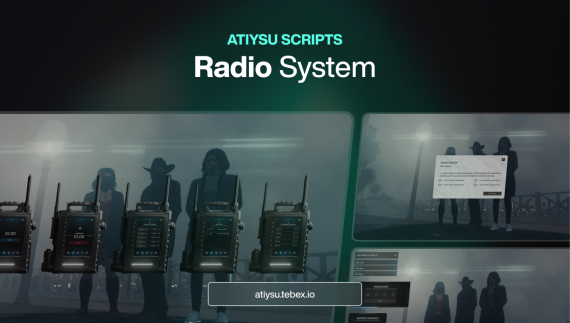
Upgrade your server’s voice communication with our FiveM Advanced Radio System! This feature-rich script improves radio functionality, adds customization options, and ensures seamless integration with the most popular voice systems.
Key Features
FiveM Advanced Radio covers the following out of the box:
- Improved Radio System Enhance in-game communication and coordination with a fully optimized and advanced radio system for your FiveM server.
- Supports Multiple Voice Systems Compatible with pma-voice, mumble-voip, and SaltyChat, ensuring smooth integration with your preferred voice system.
- Favorite Channels Easily access the channels you use most by adding them to your favorites for quick selection.
- Locked Channels with Access Control Create private radio channels and control who can join them, enhancing security and roleplay possibilities.
- Join Requests for Locked Channels Players can request access to locked channels, and admins or designated users can accept or decline these requests. (Can be disabled via config.)
- Customizable Radio UI Adjust and personalize the radio interface to match your server’s theme and preferences.
- See Connected Players View a list of players currently connected to your channel, improving organization and team coordination. (Can be disabled via config.)
- Radio License Exam Implement a system where players must pass an exam to obtain a radio license, adding realism and exclusivity to communication.
- Radio Tower Hacking
- Contact Directly via Discord: @atiysu
Framework Compatibility
FiveM Advanced Radio works with ESX. Configuration lives in a single config file, so adapting it to a custom framework setup does not require touching the core logic.
Performance & Support
FiveM Advanced Radio is optimised to stay at 0.00ms when idle, which matters once you are running dozens of resources side by side. Lifetime updates and Discord support are included.
In diesem Artikel vorgestellt
FiveM Advanced Radio: What You Get
Zurück zu den Artikeln
Teilen: