
FiveM Loading Screen V5: Real Load Progress, Three Themes, One Config

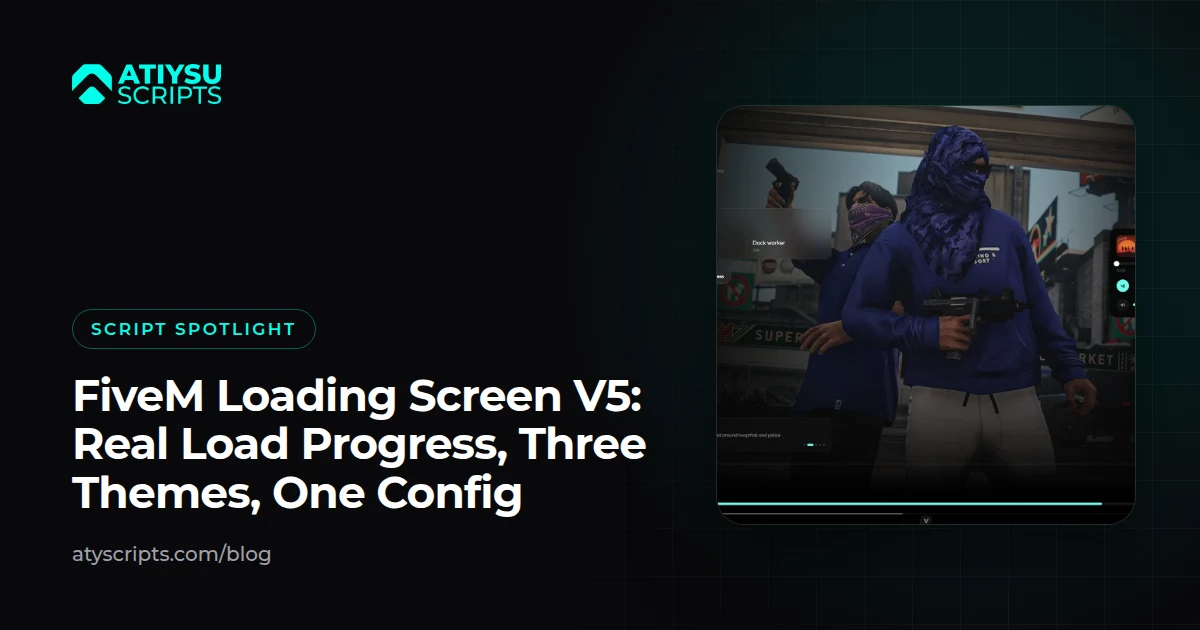
Every player on your server spends time staring at the loading screen, often longer than they spend reading your rules channel. Most servers waste that window with a static image and a progress bar that has nothing to do with what the game is actually doing. ATY Loading Screen V5 turns that wait into something useful: honest progress, real server information and a proper hand-off into the city.
The problem with most loading screens
A typical loading screen fails in three predictable ways. The bar is fake, usually a timer that fills to 90% and then sits there while the client streams assets. The content is stale, because changing a line of text means editing HTML or rebuilding a bundle. And when something goes wrong on the server side, the screen never closes and the player is left looking at a frozen backdrop until they quit.
V5 is built around fixing exactly those points. Here is how each piece works in practice.
Three themes with their own layouts
The resource ships three complete themes: cinematic, cockpit and minimal. These are separate layouts, not one design recoloured three ways. That matters because the right layout depends on your server identity:
- Cinematic suits servers that want the screen to feel like an intro sequence before the city.
- Cockpit fits communities that like an information-dense, dashboard-style presentation.
- Minimal works when you want the backdrop and progress front and centre with little else competing for attention.
You can lock the theme server-side so every player sees your chosen design, or let players switch between them from their settings. The same config-gated choice applies to language.
Progress that matches what FiveM is doing
The progress display tracks the game's real load events rather than a timer. According to the product description, it listens to 13 native load events, groups them into six weighted phases and shows live sub-progress inside each phase. The number on screen is the number FiveM is actually at.
This sounds like a cosmetic detail until you deal with support tickets. When a player says they are stuck at a specific point, an honest bar tells you something. A fake bar that always stalls at the same percentage tells you nothing and trains players to assume the server is broken.
What players actually see
Beyond the progress bar, the screen is built to give the player something relevant to look at while assets stream in.
Personalised welcome
Returning players can be greeted with their name, job, playtime and last login. First-join detection is done via handover, so a brand new player can be treated differently from a regular. Handover is the standard FiveM mechanism for passing data from the server to the loading screen during connection, which is why this can work before the player has spawned.
Discord avatars
Player avatars can be pulled from Discord. A Discord token is optional: without one, the screen falls back to the default avatar instead of breaking or showing an empty frame.
Music player
The music player supports local audio files, with a waveform generated from the audio itself, or a YouTube embed that does not require an API key. Players control volume, shuffle and repeat from their settings, so nobody is forced to listen to your playlist at full volume.
Tabbed content panels
Announcements, Changelog, Rules, Staff, Guide, Keybinds and Gallery live in tabbed panels. They are closed by default and opened from a stacked rail, so the screen stays clean for players who just want to wait, while anyone curious can read your latest changelog or check keybinds. The gallery has a click-through lightbox, and rotating tips use dot navigation and pause on hover.
Player settings
Players can adjust theme, language, background mode, volume, shuffle, repeat, reduced motion and film grain, subject to whatever you lock server-side. Reduced motion is worth highlighting: some players genuinely find heavy animation uncomfortable, and giving them an off switch costs you nothing.
What staff control
The part server owners will care about most is maintenance. Every colour, font, string, panel and asset is driven from a single config.lua, and nothing needs a rebuild to change. Updating your rules tab before a wipe, adding a changelog entry after a patch or swapping the backdrop for an event becomes a config edit and a resource restart, not a front-end build step.
A few other staff-facing features are worth knowing about:
- Queue mode. When players are waiting in a queue, the screen shows position, queue length and estimated wait as its own state, instead of pretending the game is loading.
- Safety timeout. If the server never signals that it is ready, the screen force-shuts so nobody gets stranded on a frozen loading screen.
- Enter gate and exit choreography. The screen uses manual shutdown and an animated hand-off into the city, so the transition into gameplay is deliberate rather than an abrupt cut.
- Localization. Full TR/EN localization is included. Any missing key falls back to the default locale, so a partially translated string never prints
undefinedon screen. - Easter egg. A hidden Konami-style easter egg is included and gated by config, so you can disable it if it does not fit your server.
How it fits a QBCore or ESX setup
In FiveM, a loading screen is a regular resource that declares an HTML page as its loadscreen in the manifest. When a resource wants to control when the screen closes instead of letting the game close it automatically, it opts into manual shutdown. A generic example of how FiveM loading screens are declared looks like this:
fx_version 'cerulean'
game 'gta5'

loadscreen 'html/index.html'
loadscreen_manual_shutdown 'yes'
That snippet is only there to illustrate the mechanism; the resource ships with its own manifest and you should use that as-is. The relevant FiveM behaviour is documented at docs.fivem.net if you want to understand what is happening under the hood.
For a typical QBCore or ESX server, practical integration notes:
- Remove or stop any existing loading screen resource first. Two resources both declaring a loadscreen is a common source of confusion.
- Ensure the resource in your
server.cfglike any other resource. - Open
config.luaand set your theme policy, language policy, panel content and assets before going live. - Decide whether you want Discord avatars with a token or are happy with the default avatar fallback.
- Test a fresh connection and a returning connection so you see both the first-join and returning welcome.
On performance, the screen is built for CEF, the embedded browser FiveM uses for UI. The description lists a WebP backdrop, pre-rendered blur backing and a working backdrop-filter, at around 695 KB total. A lighter loading screen means less for the client to fetch before it can start on the actual game.
The resource is fully open source: the complete Vue source is included and nothing is escrowed. If your developer wants to restructure a theme or add a panel beyond what the config exposes, they have the code to do it.
Who it is for
- Roleplay servers with regular updates that want changelogs, announcements and rules visible at the moment every player connects.
- Servers that run a queue and want players to see an honest position and wait estimate.
- Owners without a front-end developer who need to change text, colours and assets without touching a build pipeline.
- Servers with in-house developers who want full source access rather than an escrowed UI.
- Turkish and English communities, given the TR/EN localization out of the box.
If you are setting up the rest of the connection flow as well, the Multi Character & Spawn Selector covers what happens after the loading screen hands the player off.
Practical takeaway
A loading screen is the first piece of your server every player sees, every single session. Before you pick one, check these points:
- Does the progress reflect real load events, or is it a timer?
- Can staff update rules, announcements and changelogs without a rebuild?
- Is there a safety timeout so a server hiccup does not strand players?
- Does it handle queue state separately from loading?
- Can players reduce motion and control audio?
- Do you get the source if you need to change something the config does not cover?
ATY Loading Screen V5 answers yes to all of them. Full details and support contact are on the product page.
In diesem Artikel vorgestellt
FiveM Loading Screen V5: Real Load Progress, Three Themes, One Config