
How to Make a FiveM Server

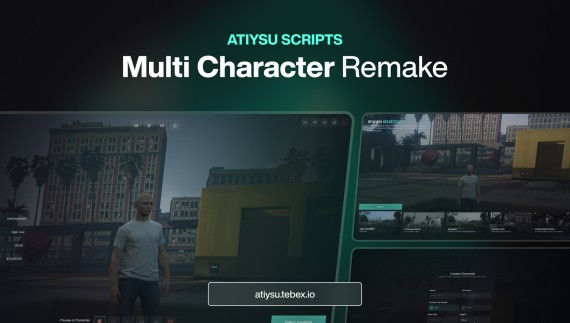
A FiveM server is four things stacked on each other: the server binaries, a database, a framework, and a config file that ties them together. You can get all four running in an evening. Keeping them running well is a longer job, and this guide flags the decisions that are expensive to reverse later.
1. Get a Cfx.re license key
Every server needs a key from the Cfx.re Keymaster portal, tied to your forum account. The key goes in server.cfg as sv_licenseKey. Two things worth knowing before you generate it: a key is bound to an IP or a range depending on the type you pick, and escrow-protected paid scripts are tied to the account that owns them. If you plan to buy assets, buy them on the same Cfx.re account that owns the server key — moving assets between accounts later is not something you can do yourself.
2. Install the server artifacts
Download the server build for your platform from the Cfx.re artifacts server. Take a recommended build rather than the newest one: the latest artifact is a development build, and half the "my server broke overnight" reports are people running one. Unzip it into its own folder, separate from your server data — you will replace this folder on every update and you do not want your resources inside it.
Your directory layout should end up looking like a server folder holding the artifacts and a server-data folder holding resources, server.cfg and your cache. Keeping them apart makes updating the artifacts a delete-and-replace instead of a careful merge.
3. Set up the database
You need MySQL or MariaDB, and MariaDB is the common choice. Install it, create a database for the server, create a user with rights on it, and note the connection string — every framework and most scripts will need it. In server.cfg that looks like:
set mysql_connection_string "mysql://user:password@localhost/servername?charset=utf8mb4"
Use utf8mb4. The older utf8 charset in MySQL cannot store four-byte characters, which means emoji in player names or chat will throw errors that look like database corruption.
4. Choose a framework
QBCore or ESX. This is the decision that is hardest to reverse, because every script you buy, every job you write and every database table you fill assumes one of them. Both are mature, both are free, both have large script ecosystems. Our QBCore vs ESX comparison goes through the practical differences; the short version is that QBCore ships more gameplay out of the box while ESX gives you a leaner base to build on.
Whichever you pick, install it as a resource, import its SQL, and start it before everything else. Get a player spawning and saving before you add a single extra script — a framework that half-works produces errors in every resource above it and you will chase them in the wrong place.
5. Write server.cfg
The lines that decide whether anyone can actually join:
endpoint_add_tcp "0.0.0.0:30120"andendpoint_add_udp "0.0.0.0:30120"— bind on all interfaces, not localhostsv_maxclients 48— the ceiling; raising it does not create capacitysv_hostname,sets sv_projectName,sets sv_projectDesc— how you appear in the server listsv_licenseKey— the key from step 1ensurelines for every resource, in dependency order
Then open port 30120 on both TCP and UDP in your firewall and, if you are behind one, your router. A server that starts cleanly and appears in no list is almost always a closed UDP port — TCP alone lets the server boot but not be discovered.
6. Add scripts, one at a time
Resist installing twenty resources before the first test. Add one, restart, watch the console, join, confirm it works. A server built one resource at a time takes an evening; a server built all at once and then debugged takes a week, because every error could come from anything.
Where to go next
Once the base runs, the first things most servers add are a spawn and character system, a garage, and jobs. Our guides cover adding a garage and adding jobs, and the server optimization guide covers what to measure before your player count grows.
Every ATY script ships with its own setup page in the documentation, and delivery is automatic through Cfx.re Keymaster the moment payment clears. Browse the full catalogue in the store, or open a ticket in our Discord if you get stuck — you talk to the developers who wrote the code.